The Football Manager scouting and recruitment companion for Mac

Your next signing starts here.

ChiefScout takes you from a squad need, through player discovery and evaluation, to a shortlist you can take back into Football Manager. Free to use, and your save never leaves your Mac.

Your Mac, Your Save, Your Decisions

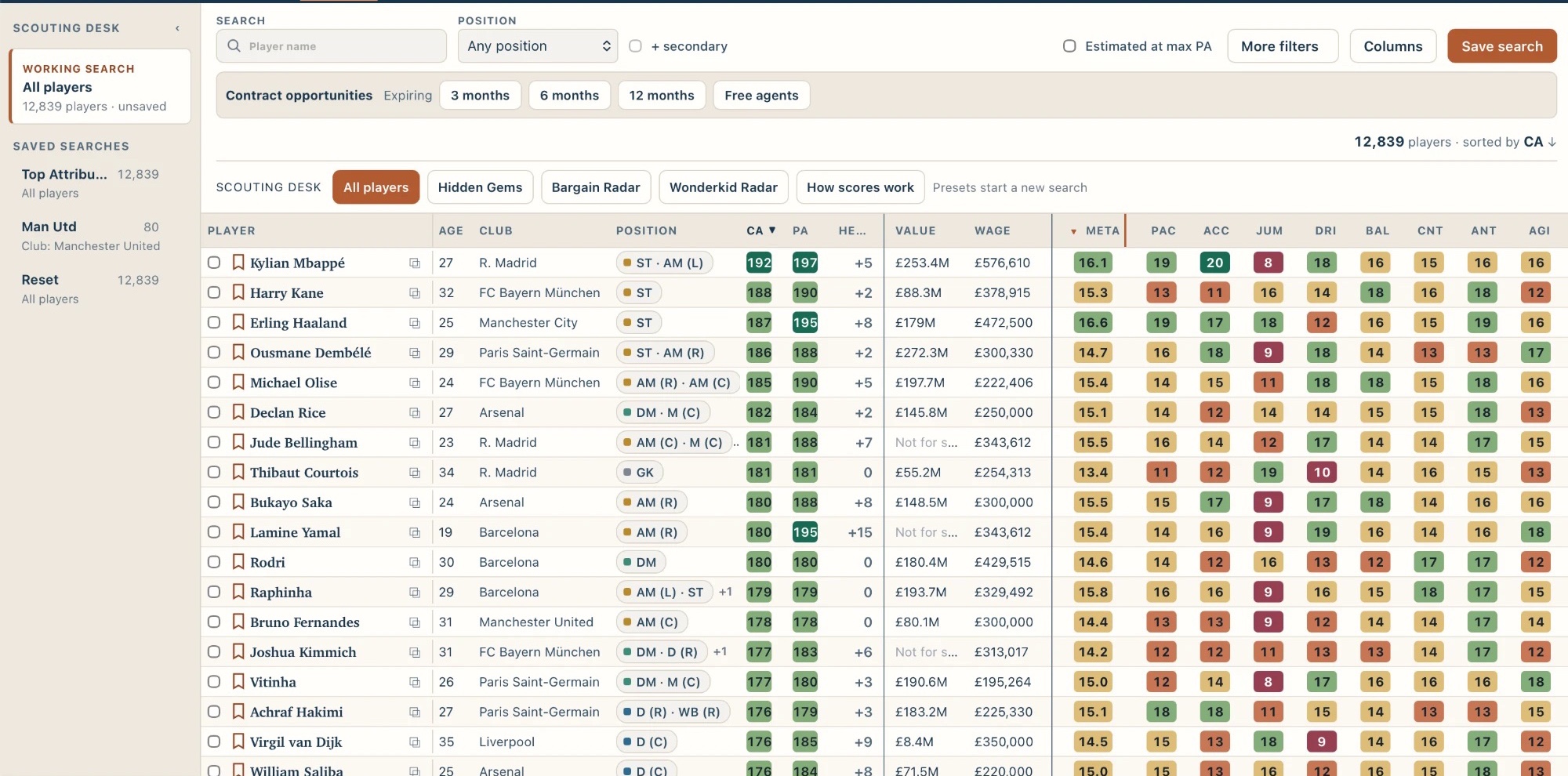
ChiefScout Players table showing 12,839 players sorted by CA, with age, club, position, CA, PA, value, wage, Meta and attribute columns.
The Players table: a whole FM27 save, sortable by CA, PA, Meta and individual attributes.

What is ChiefScout?

Scouting in Football Manager, in one place.

Finding a good player is the easy part. Remembering why you were looking, who else you liked and what you decided is the hard part. ChiefScout reads your save and gives you one workspace to record what the squad needs, search for players, judge them and keep your decisions together. It supplements your judgement.

How it works

From “who replaces my captain?” to a shortlist.

The whole recruitment loop, using real ChiefScout screens from an FM27 save.

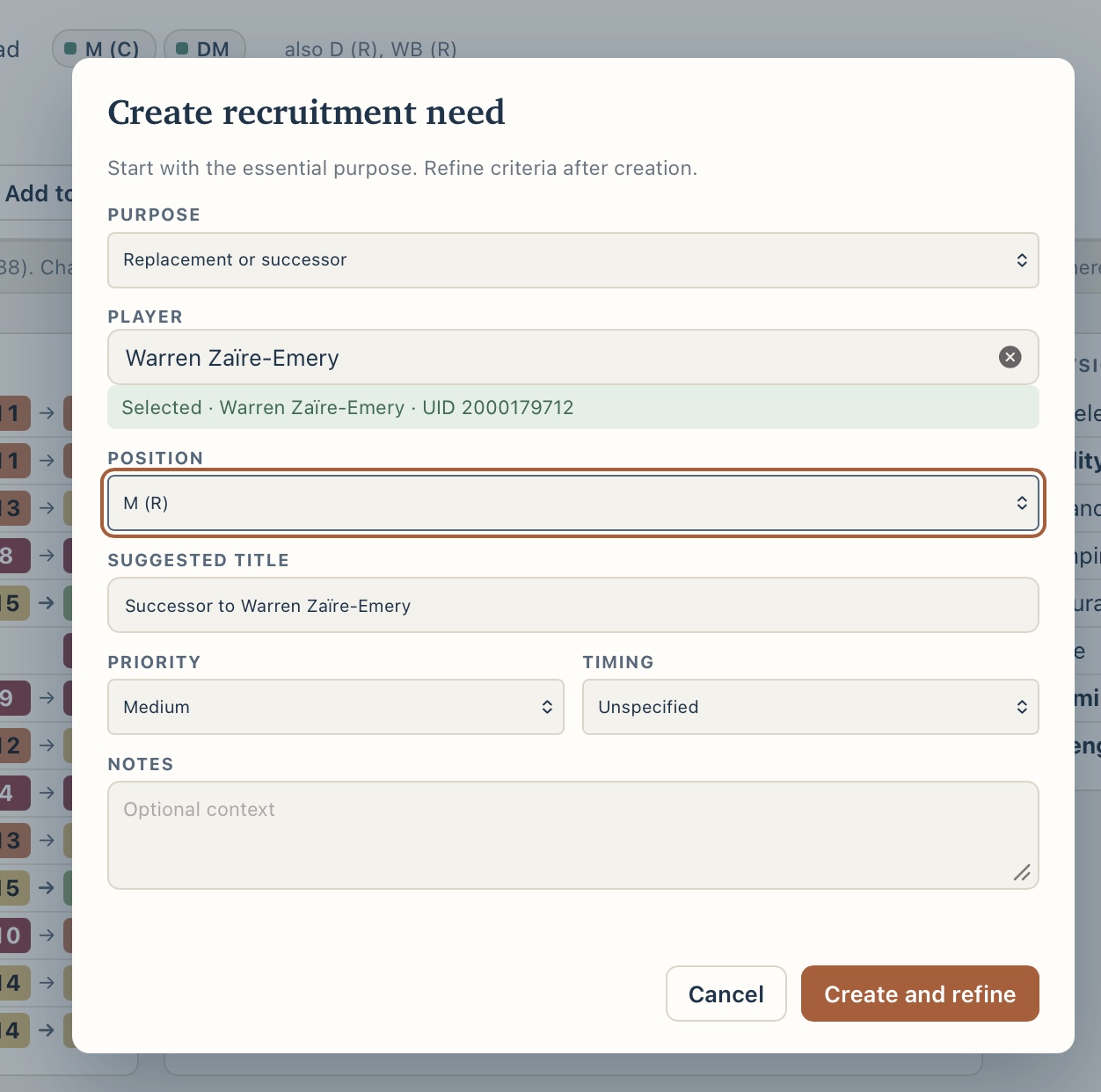
  1. ChiefScout Create recruitment need dialog with purpose, player, position, suggested title, priority, timing and notes.
    Create a recruitment need.

    Start with a need

    Say what the squad needs: a successor for your ageing captain, cover at left-back, a young striker. Pick the position, priority and timing.

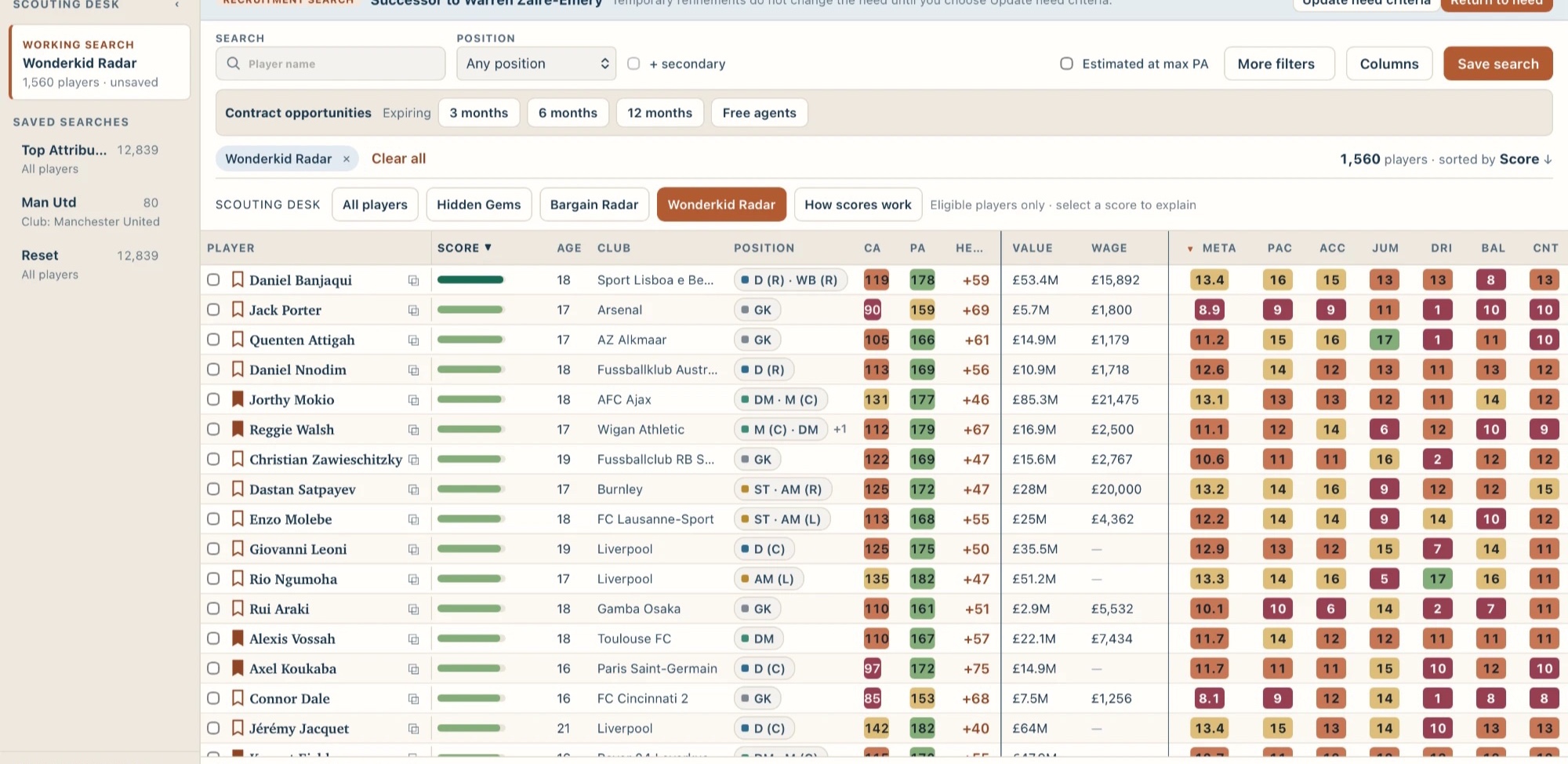
  2. ChiefScout Players table with the Wonderkid Radar preset applied, showing 1,560 players with score, CA, PA, headroom, value, wage and Meta.
    The Wonderkid Radar preset in the Players table.

    Search your save

    Search the whole save from a Scouting Desk preset, or from the need’s own criteria.

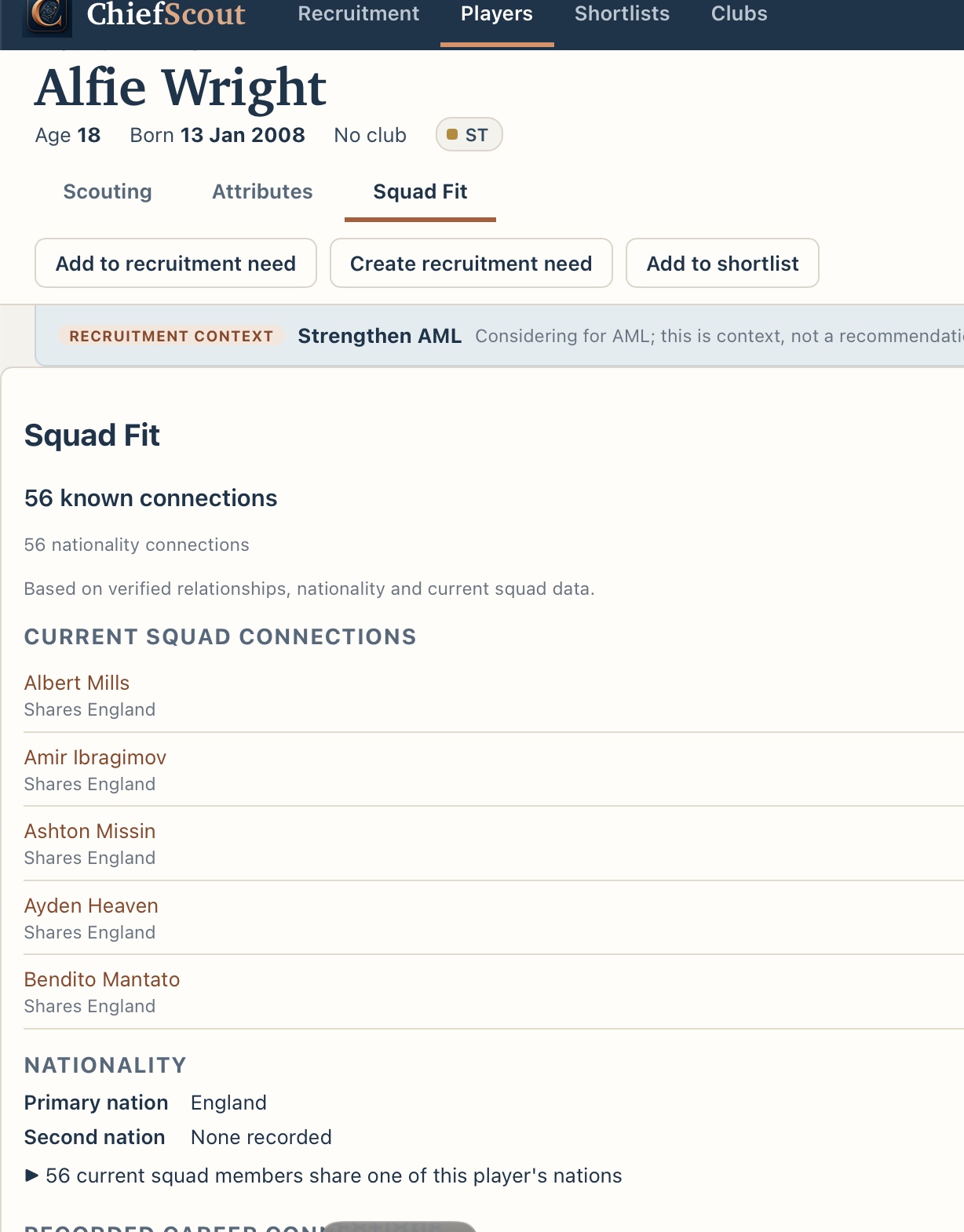
  3. ChiefScout Squad Fit tab for a player with Add to recruitment need, Create recruitment need and Add to shortlist buttons, a recruitment context bar, 56 known nationality connections and a list of current squad connections.
    The Squad Fit tab of a player profile.

    Assess the player

    Read attributes, CA and PA, see who they would join with Squad Fit, and add them to a need or a shortlist from the profile.

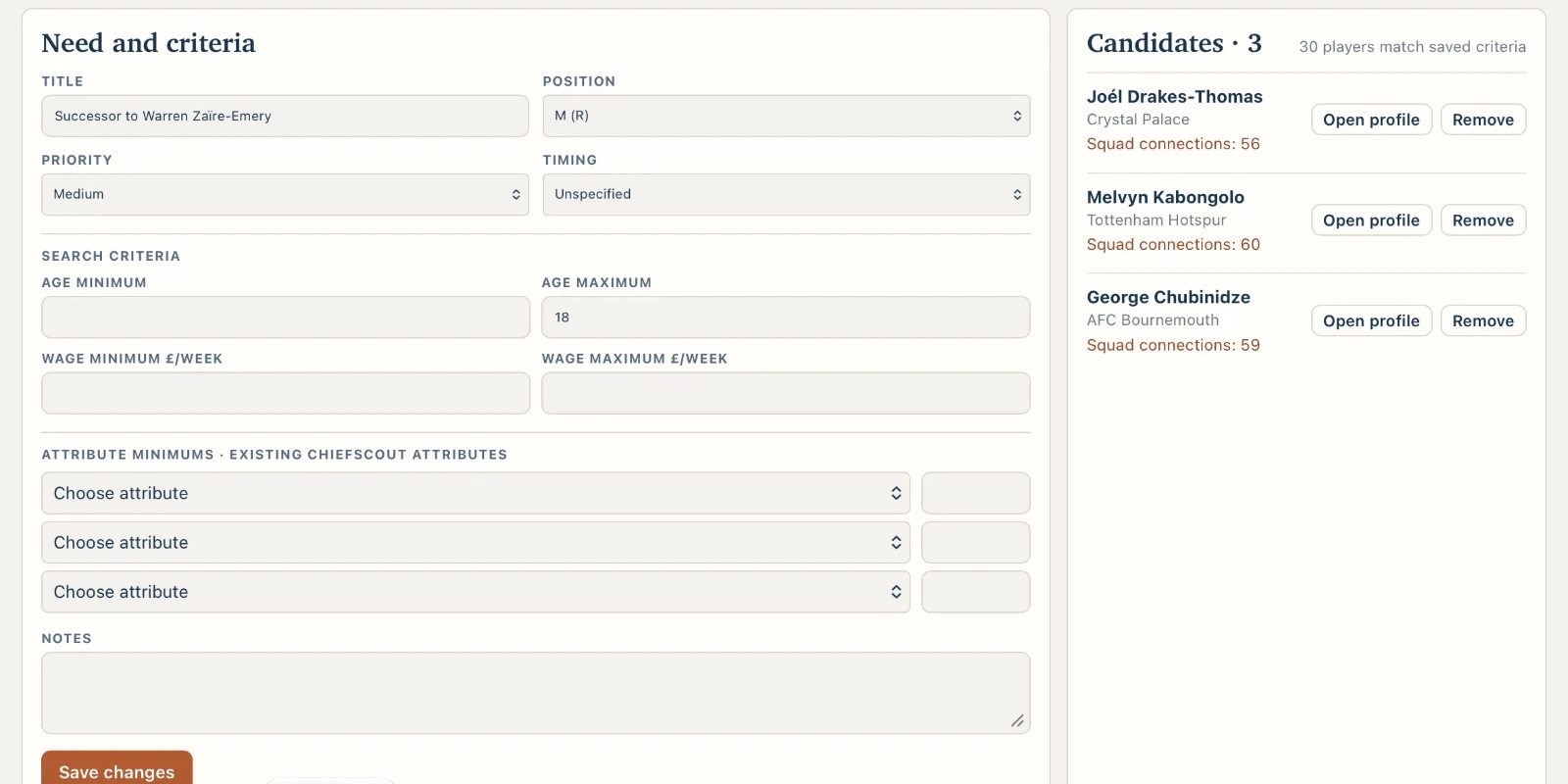
  4. ChiefScout recruitment need with its criteria beside a candidates panel listing three attached candidates, each with their club, a squad connections count, and Open profile and Remove buttons.
    A recruitment need with three attached candidates.

    Keep them with the need

    Attach the players worth following to the need. They stay together, so you can come back to the decision later.

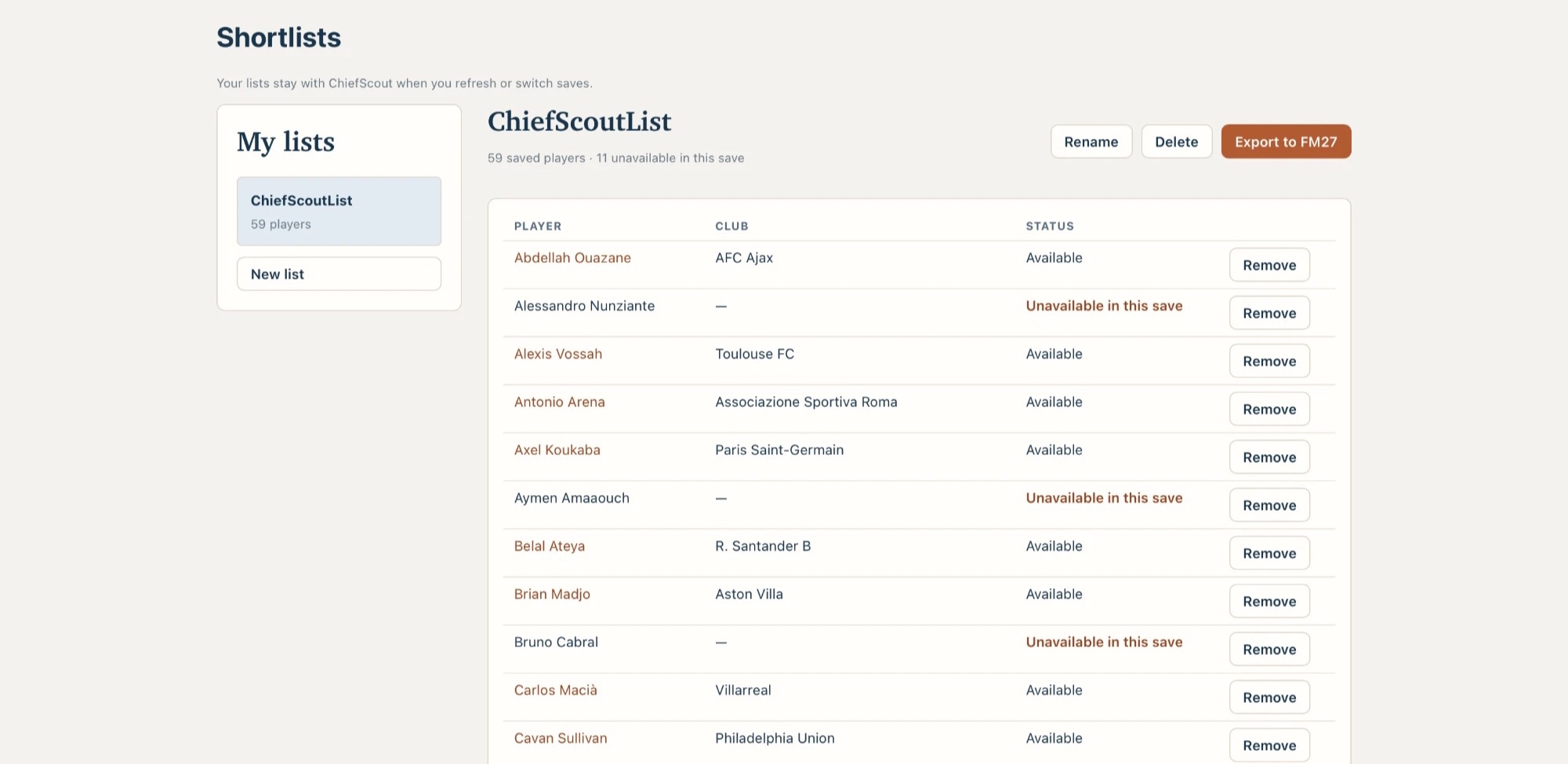
  5. ChiefScout Shortlists page with a list of saved players, their clubs and availability in the current save, and an Export to FM27 button.
    A shortlist, with its Export to FM27 button.

    Build your shortlist

    Move your best candidates onto a shortlist and organise it.

  6. Export it back into Football Manager

    Export the shortlist and bring it into Football Manager on supported builds. Your original save is never changed. How export works
The ChiefScout loop

From a recruitment need to a shortlist.

  1. Record a needSay what the squad needs and why.
  2. Search the saveOpen the table with the need’s criteria applied.
  3. Assess playersAttributes, CA and PA, Meta, Estimated Max PA and Squad Fit.
  4. Attach candidatesThey stay with the need between sessions.
  5. Shortlist and exportOrganise your decisions and take them back into Football Manager.

ChiefScout

What you get

  • Search every player

    Scouting Desk presets, free agents, expiring contracts, filters, columns and Saved Searches.

  • Understand each one

    Profiles with CA, PA, attributes, positions, traits, recorded wage and value, plus Meta and Estimated Max PA.

  • Recruit with a plan

    Recruitment needs, attached candidates and named shortlists.

  • Take it back to Football Manager

    Export a shortlist into Football Manager on supported builds.

Explore the product Download status

Meta

A fast headline view of every player.

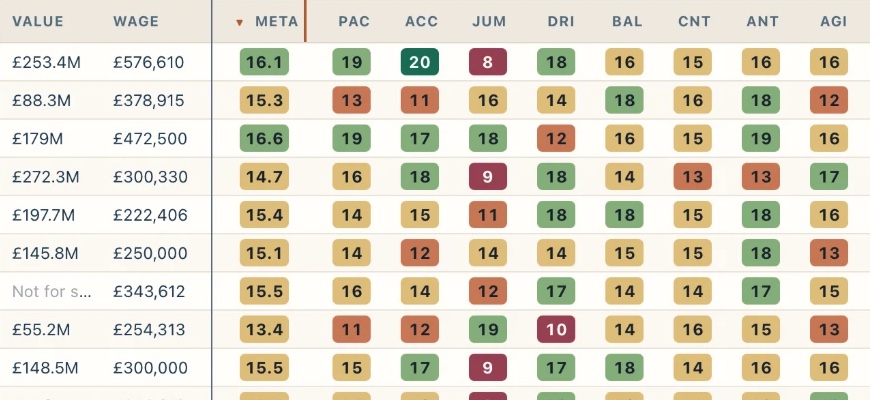
Meta combines attributes historically associated with player success into a fast headline view, scored out of 20. Sort a whole save by it to see who deserves a closer look first. It is ChiefScout’s own measure, not an official Football Manager rating.

How Meta works
Close-up of the ChiefScout Players table showing value, wage, the Meta column and individual attribute columns with colour-coded values.
The Meta column beside individual attributes in the Players table.

Estimated Max PA

What could their potential look like?

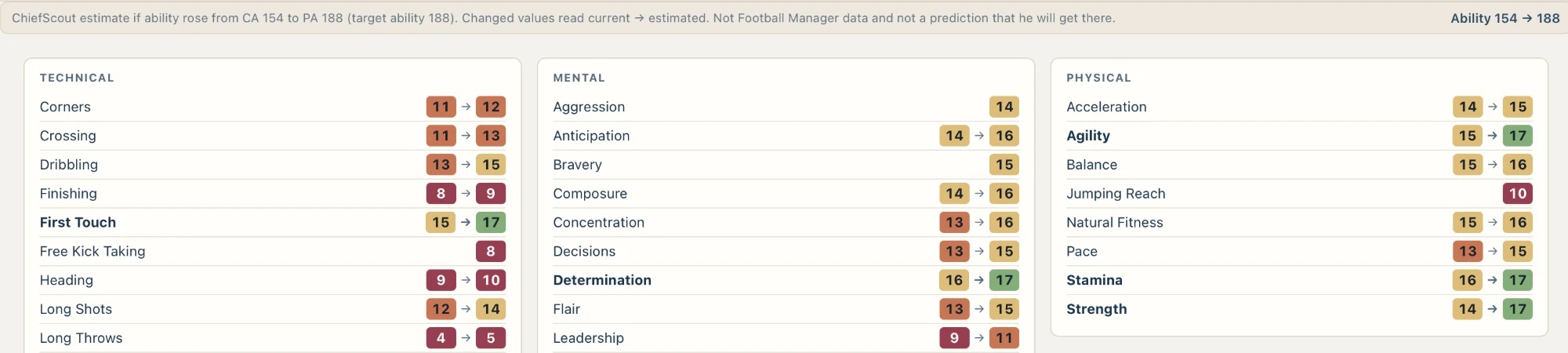
Estimated Max PA helps you think about what a player could look like if they fulfil their potential. Switch it on in the Attributes tab and each attribute moves from its current value to an estimate, so you can judge future fit as well as current ability. It is built from statistical modelling of player development. It is an estimate, not a prediction.

Who Estimated Max PA covers
ChiefScout Attributes tab with Estimated at max PA on, showing each attribute change from its current value to an estimated value, with a note that it is an estimate and not a prediction.
A player’s attributes with Estimated at max PA on: current → estimated.

Why ChiefScout?

Built for scouting, not for editing.

ChiefScout is not a save editor and does not try to be one. It does one job in depth: helping you scout, assess and recruit, and handing the result back to Football Manager.

  • Connected Scout

    Scout for the reason you started looking.

    Record a recruitment need and keep the players you find attached to it. Come back to the decision without starting from a blank search.

  • Squad Fit

    See who a player would join.

    Favourite and disliked people, links to your current squad and shared nationalities, with the reason shown.

  • Meta

    A fast headline view.

    One number out of 20 that combines attributes historically associated with player success, to sort a whole save by.

  • Estimated Max PA

    Think long term.

    See what a player’s attributes could look like if they fulfil their potential, and judge future fit as well as current ability.

Security & Privacy Check FM27 compatibility

Your save stays on your Mac

  • Processed locallyYour save is read and processed on your Mac. It is not uploaded.
  • Read-onlyChiefScout reads supported save data and is designed to leave the original save untouched.
  • No desktop accountThe desktop app does not need an account.

Your Mac, Your Save, Your Decisions

More to explore

ChiefScout Pro is a possible future.

Further ahead, a ChiefScout Pro upgrade may add deeper intelligence: interpretation, synthesis and decision support built on top of what the free version already does. Possible directions for ChiefScout Pro include:

See the roadmap

Ready to scout your next signing?