Product

From a squad need to a shortlist.

ChiefScout Free is a scouting and recruitment companion for Football Manager. Discover players, assess them, organise your recruitment and export the result back into the game.

The four stages

  1. DiscoverSearch every player and club in the save.
  2. AssessUnderstand a player before you decide.
  3. OrganiseKeep needs, candidates and shortlists together.
  4. ExportTake the shortlist back into Football Manager.

1 · Discover

Find your next hidden gem.

Search every player and club in a supported save, then shape the search around the question you are asking.

  • Scouting Desk presets such as Hidden Gems, Bargain Radar and Wonderkid Radar, with a How scores work explainer
  • Contract opportunities: contracts expiring in 3, 6 or 12 months, and free agents
  • Your own searches: filters and columns, and Saved Searches you can return to
  • Clubs: open any club and read its squad, with top prospects and Senior, Reserve and Youth groups
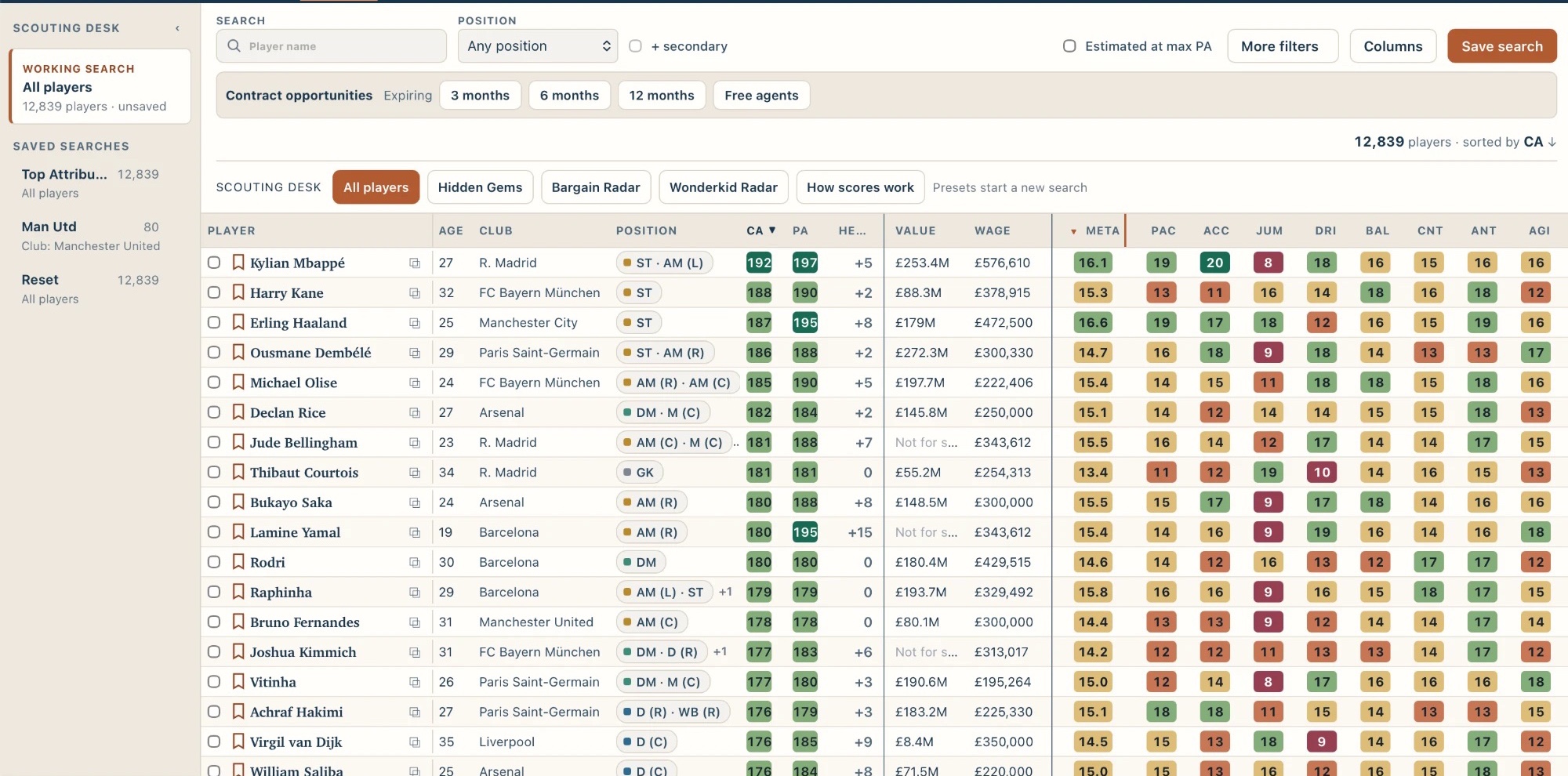
ChiefScout Players table showing 12,839 players sorted by CA, with age, club, position, CA, PA, value, wage, Meta and attribute columns.
Search a whole FM27 save. Sort by ability, Meta or individual attributes.

Unknown is not zero

When ChiefScout cannot tell, it says so.

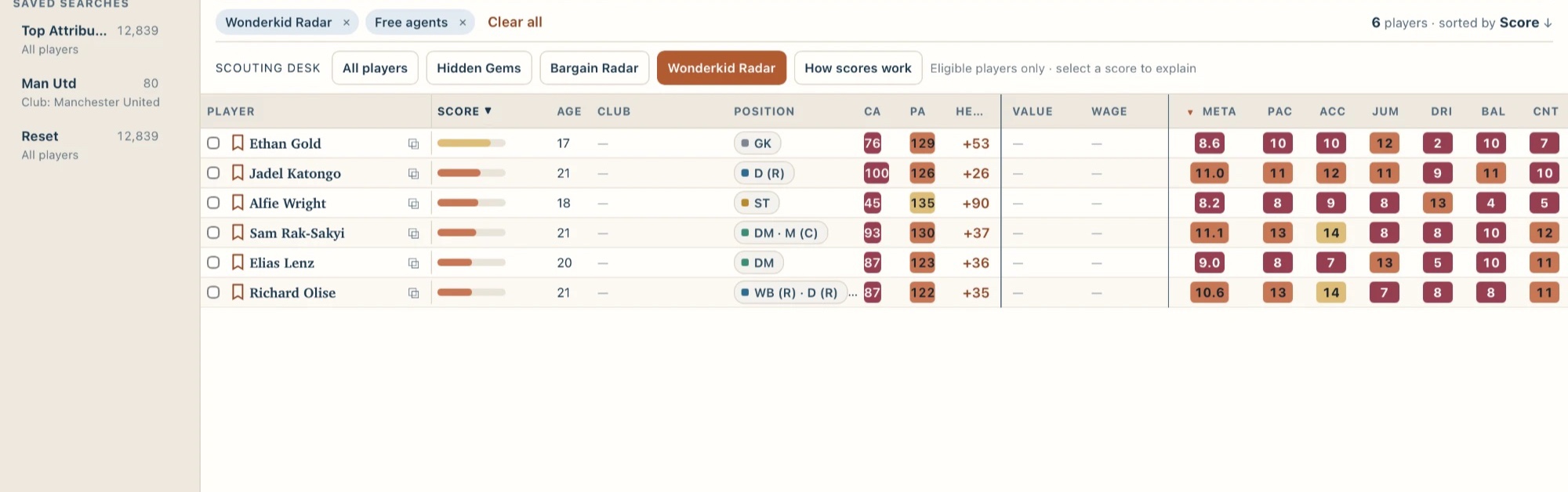
A blank wage or value means the save does not record it, not that it is nothing. ChiefScout keeps unknown information unknown rather than turning it into a number, so you can see what you still need to find out.

ChiefScout Players table filtered to free agents with the Wonderkid Radar preset, showing six players; club, value and wage appear as dashes where unrecorded.
Free agents with Wonderkid Radar: unrecorded club, value and wage shown as —, never as zero.

2 · Assess

Get the fuller picture before you decide.

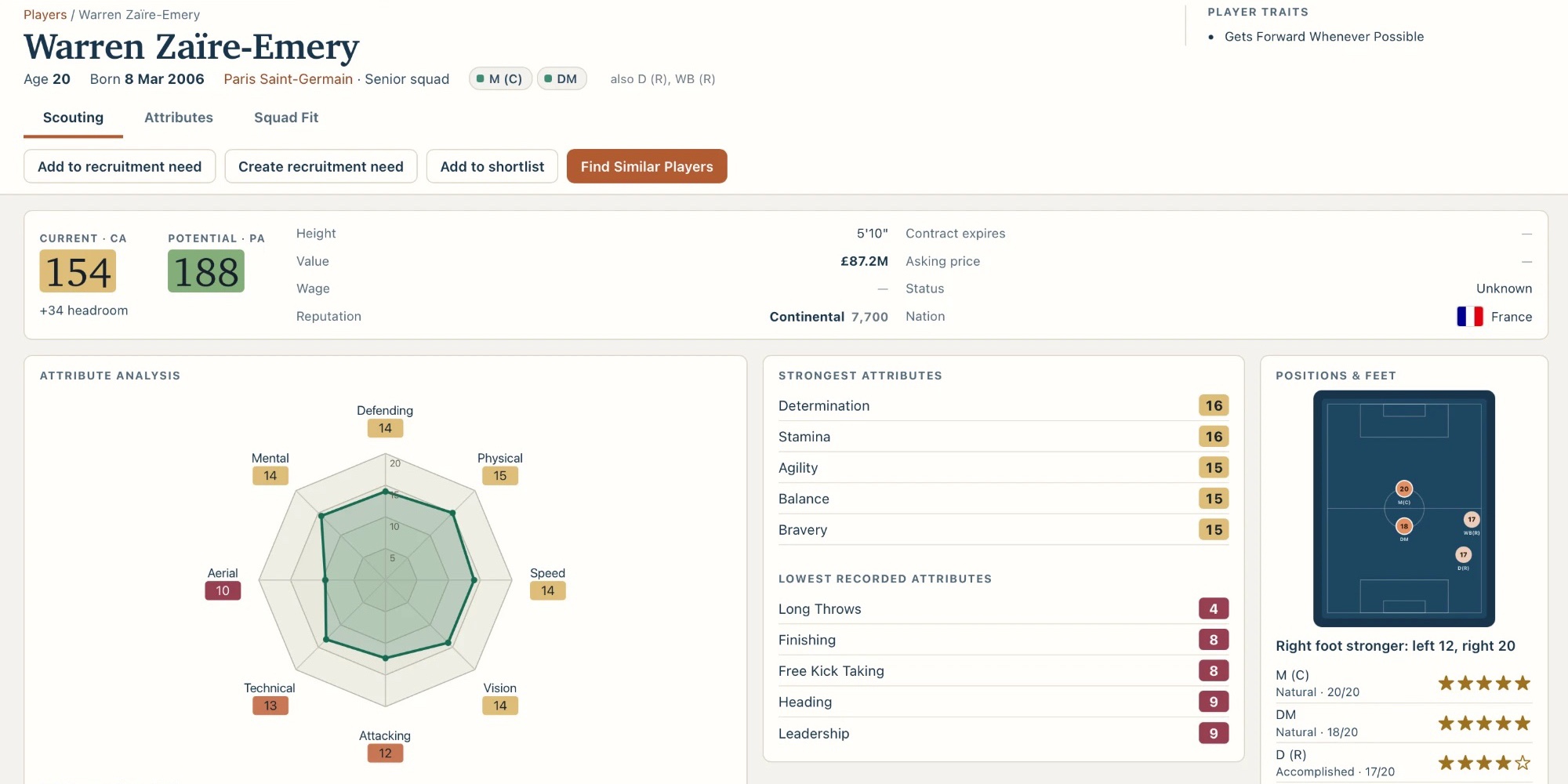
A profile gathers what the save holds: current and potential ability, recorded financials and status, an attribute radar, positions and feet, and traits where the build supports them.

CA and PA
Football Manager’s Current and Potential Ability. PA is potential, not a guaranteed outcome.
Wage, value, status
As the save records them. They are not negotiation outcomes and not proof a player will join.
Read the glossary
ChiefScout player profile, Scouting tab: current and potential ability, financial details, an attribute radar, strongest and lowest attributes, positions and feet, and a traits card.
The Scouting tab of a player profile.

Meta

A fast headline view of every player.

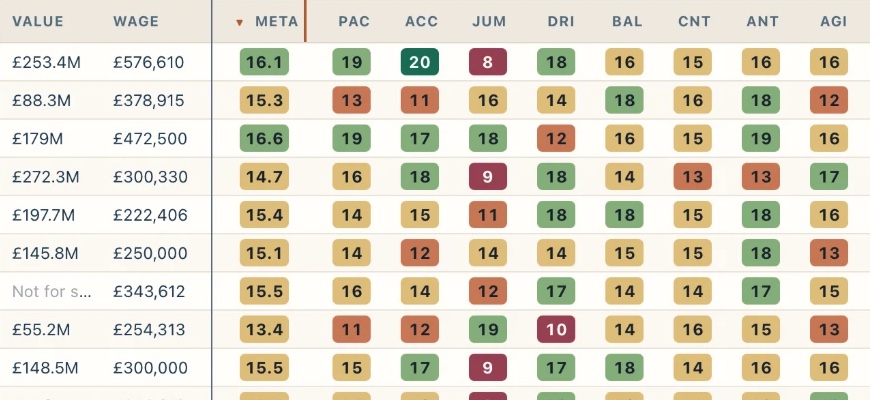
Meta combines attributes historically associated with player success into a fast headline view, scored out of 20. Sort a whole save by it to see who deserves a closer look first. It is ChiefScout’s own measure, not an official Football Manager rating.

How Meta works
Close-up of the ChiefScout Players table showing value, wage, the Meta column and individual attribute columns with colour-coded values.
The Meta column beside individual attributes in the Players table.

Estimated Max PA

What could their potential look like?

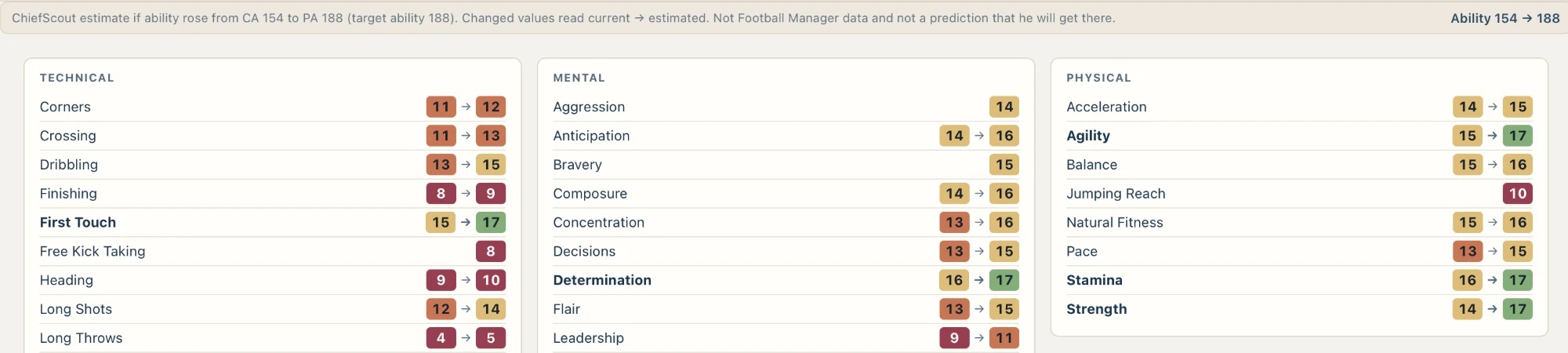
Estimated Max PA helps you think about what a player could look like if they fulfil their potential. Switch it on in the Attributes tab and each attribute moves from its current value to an estimate, so you can judge future fit as well as current ability. It is built from statistical modelling of player development. It is an estimate, not a prediction.

Who Estimated Max PA covers
ChiefScout Attributes tab with Estimated at max PA on, showing each attribute change from its current value to an estimated value, with a note that it is an estimate and not a prediction.
A player’s attributes with Estimated at max PA on: current → estimated.

Squad Fit

See who a player would be joining.

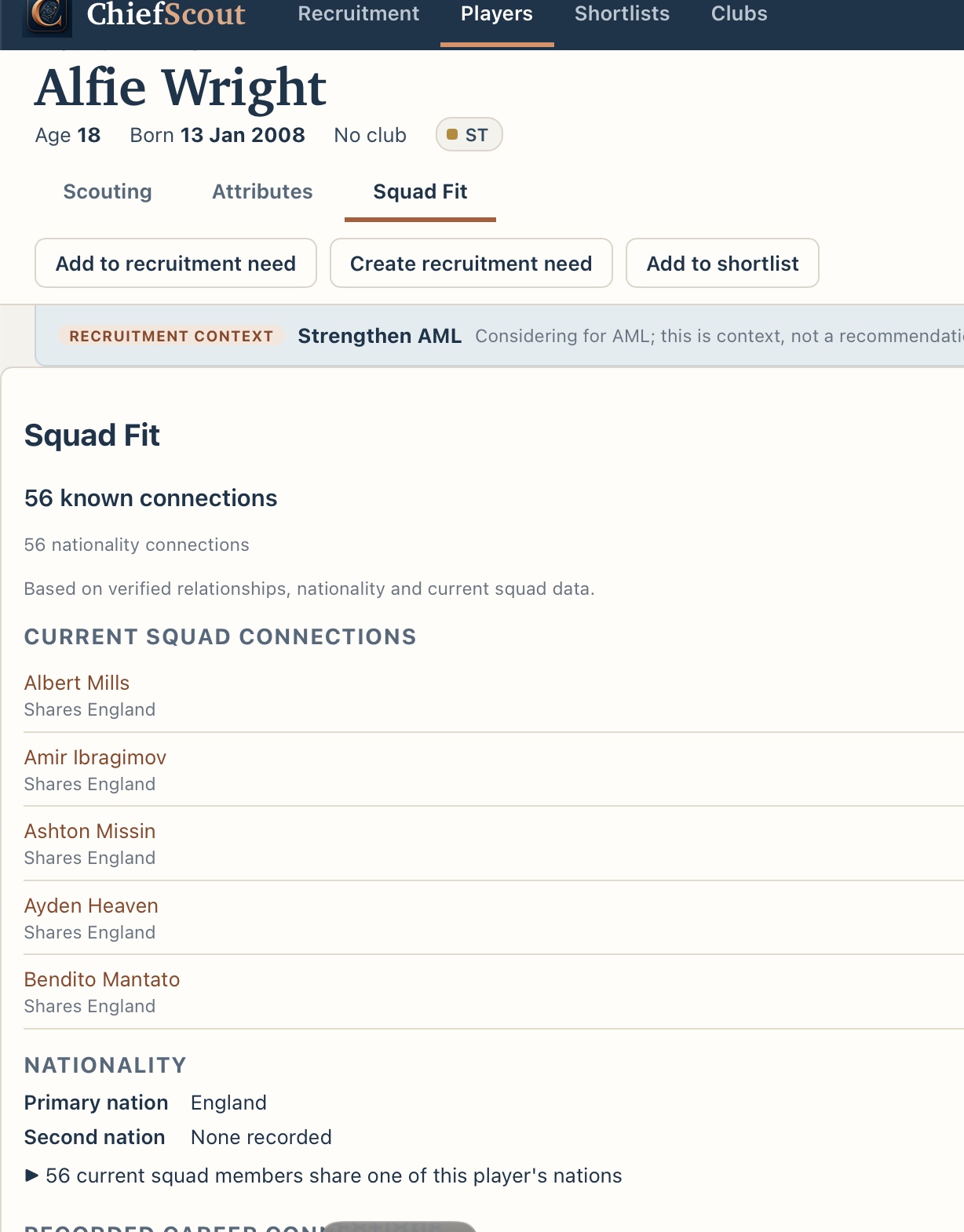
Before you sign someone, see the people around them. Squad Fit shows the favourite and disliked people the save records for a player, with the reason, such as Friend or Teammate, how strong the relationship is where the save records it, who in your current squad they are connected to and which nationalities they share.

Squad Fit is context from what the save records, not a prediction of how a player will settle. Staff relationships, languages and adaptability are not covered.

ChiefScout Squad Fit tab for a player with Add to recruitment need, Create recruitment need and Add to shortlist buttons, a recruitment context bar, 56 known nationality connections and a list of current squad connections.
Squad Fit: recruitment context, nationality links and current squad connections.

3 · Organise

Recruit with a plan, not a blank search box.

Recruitment is where ChiefScout keeps your thinking together. Start with what the squad needs, then follow it through.

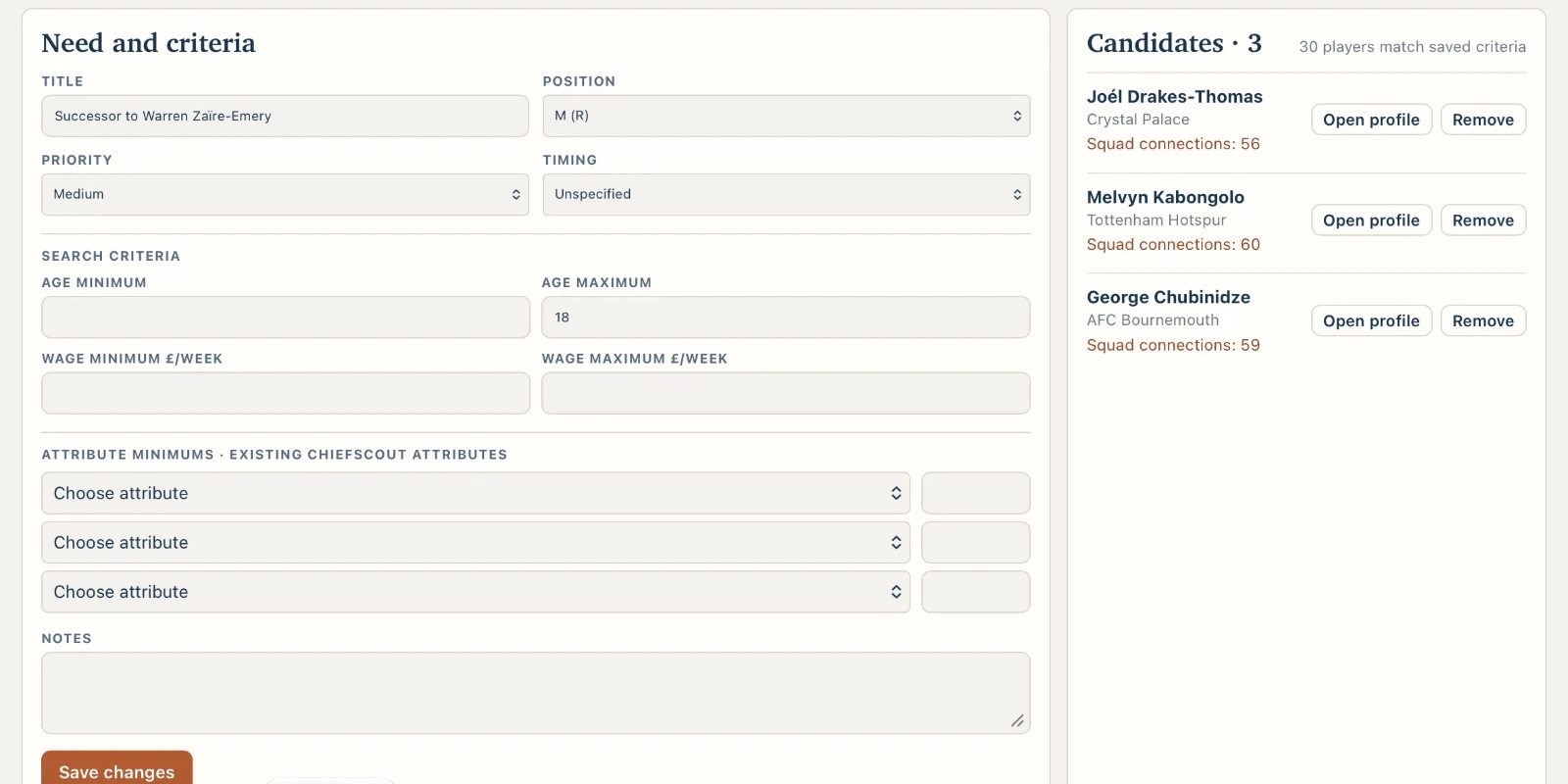
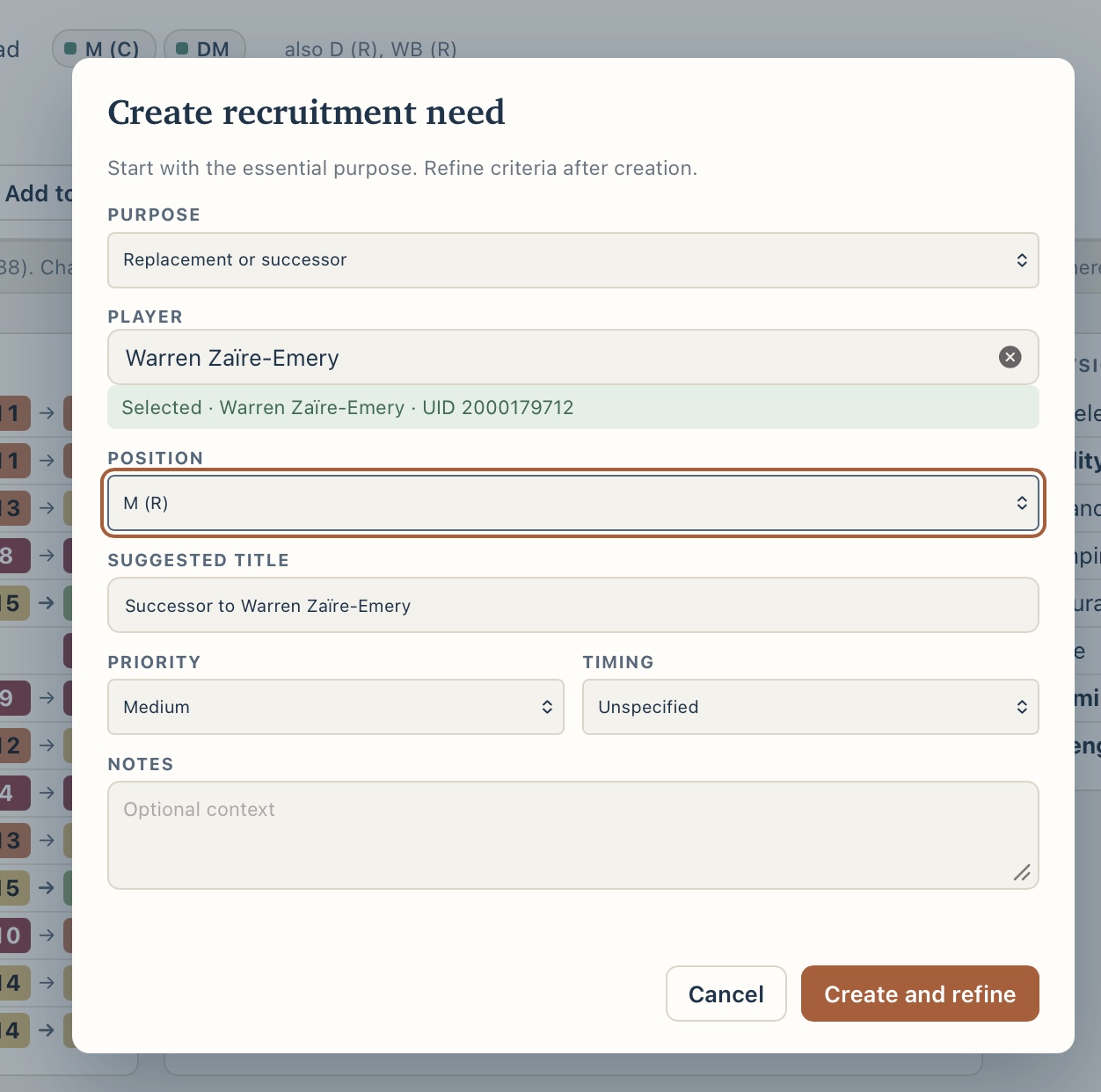
  1. Create a recruitment need. Choose the purpose, position, priority and timing, with notes of your own.
  2. Discover players. The Players table opens with the need’s criteria applied.
  3. Attach candidates. Add promising players to the need from their profile. They stay with it between sessions, and if one is missing from a later import they are kept and marked unavailable.
  4. Move them to a shortlist. Add candidates to a shortlist when you are ready to decide.

This is Connected Scout: needs and candidates, kept together. It shows context. It does not rank players or recommend a signing.

ChiefScout recruitment need with its criteria beside a candidates panel listing three attached candidates, each with their club, a squad connections count, and Open profile and Remove buttons.
A recruitment need with three attached candidates and their squad connections.

4 · Export

Take your shortlist back into Football Manager.

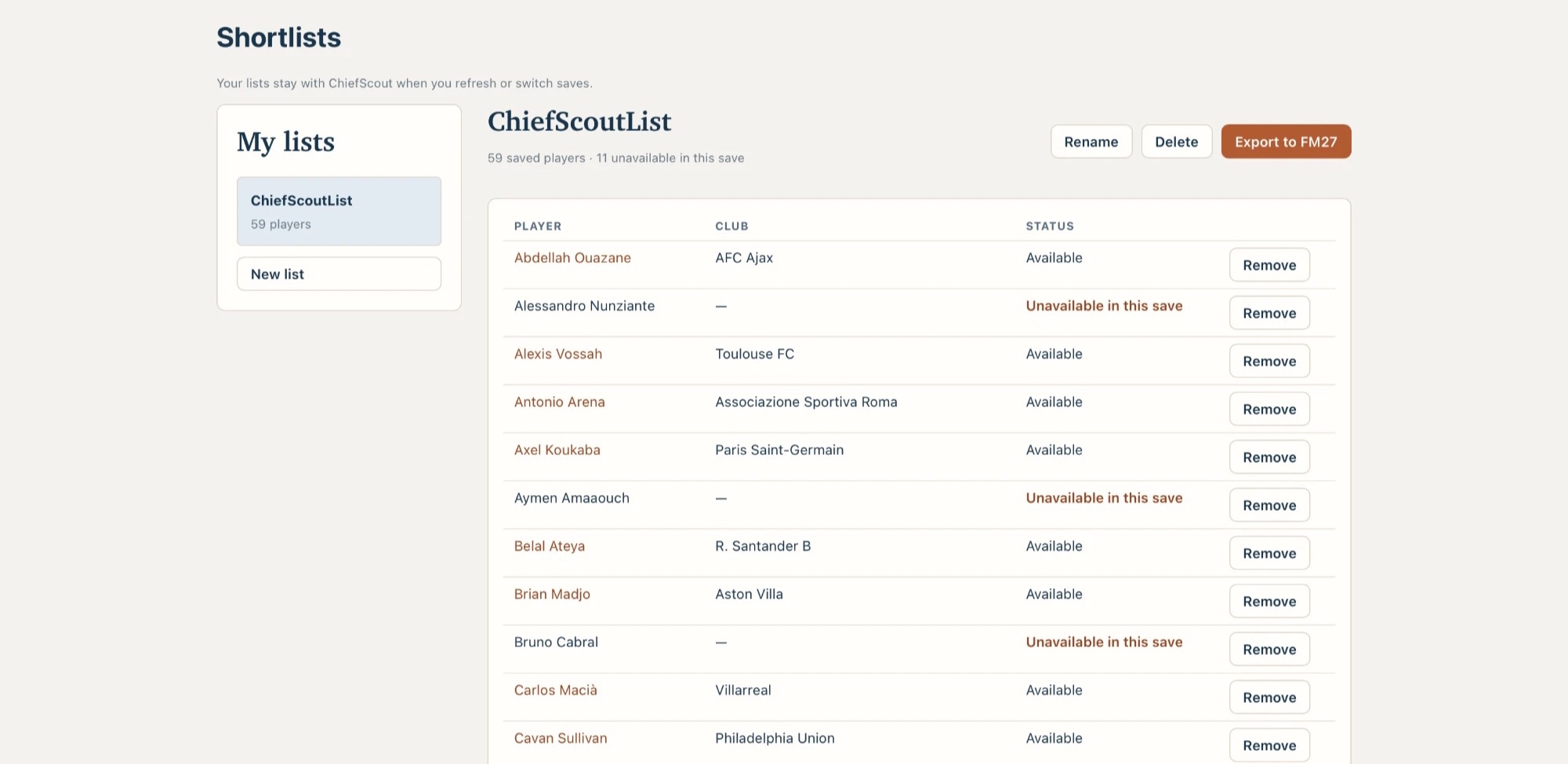
Keep named shortlists inside ChiefScout, see which players are no longer in the current save, and export a shortlist to Football Manager. Your original save is never written to.

  • Export works with database 27.0.0 with game 27.0.0 build 2493426 or game 27.0.1 build 2503222.
  • Players already in your current squad may not appear after importing the shortlist into Football Manager. See Help for details.
Compatibility and supported builds
ChiefScout Shortlists page with a list of saved players, their clubs and availability in the current save, and an Export to FM27 button.
A shortlist with its Export to FM27 button.

Free, and yours to decide

ChiefScout informs. You decide.

Free, and complete

ChiefScout Free is the complete product today, and everything in it stays free. A future Pro upgrade, if it happens, would add to Free rather than take anything from it.

Local and read-only

ChiefScout reads your save on your Mac and never changes it. Football Manager does not need to be running.

Honest about gaps

Where information is unavailable or build-specific, ChiefScout says so instead of guessing. Support is for database 27.0.0 with game 27.0.0 build 2493426 or game 27.0.1 build 2503222. Other combinations are not currently supported, and ChiefScout stops rather than risk showing incorrect information.

Get ChiefScout Security & Privacy